
Everything recruiters need.
Nothing they don't.
Most recruiters work across five or six tools just to fill a single shift. ATS in one tab, scheduler in another, texting workers on their phone, manually calculating bill rates in a spreadsheet. StaffingOS collapses all of it into one console, so recruiters spend their time placing people, not managing software.
See the Recruiter Console Live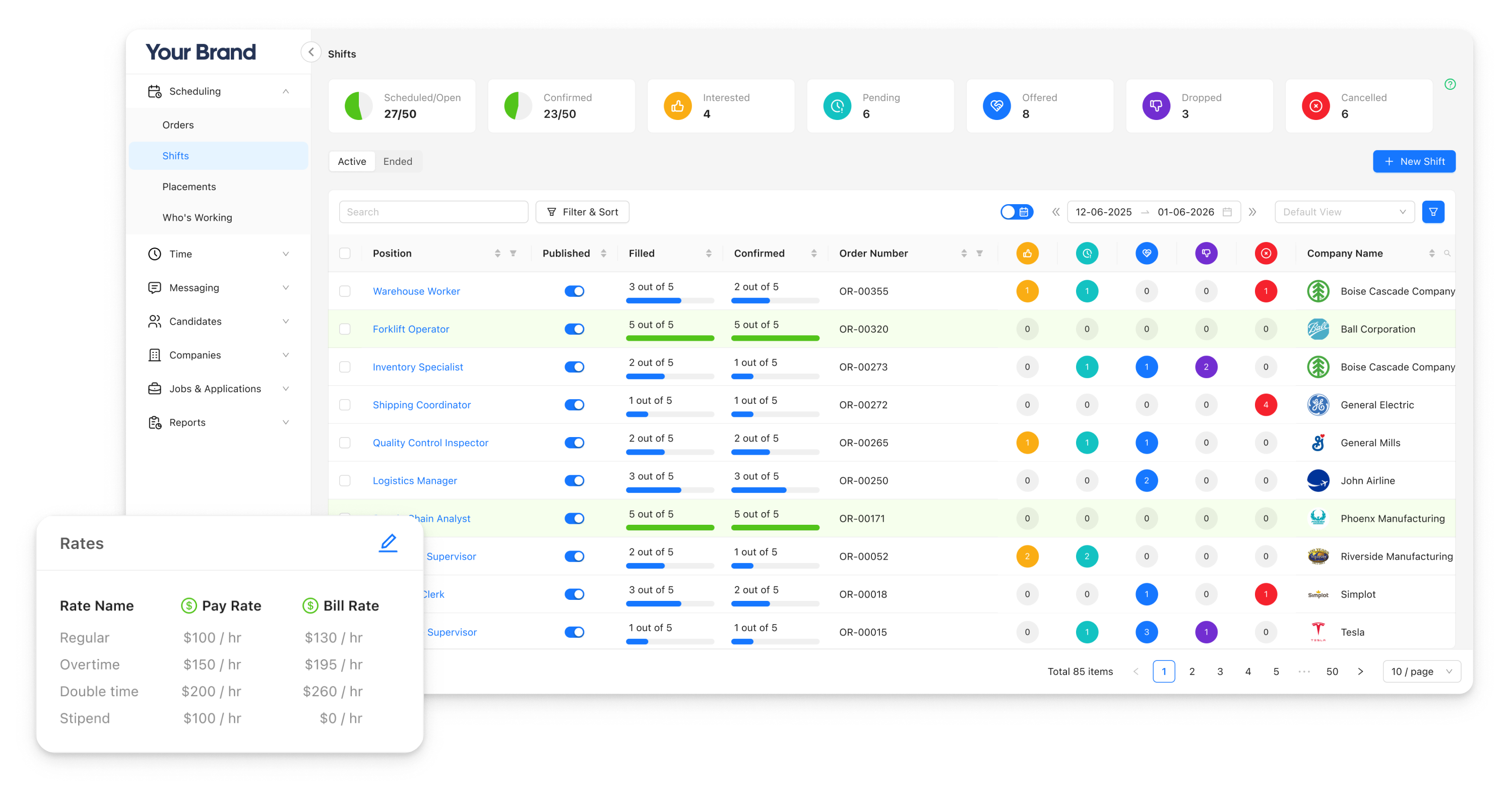
The Problem
Your recruiters are losing hours
to the wrong kind of work.
The average recruiter loses hours each day to tasks that aren't recruiting: chasing timesheets, calculating overtime, re-entering data. Two hours saved daily translates to 30–50% more placements. The ceiling on recruiter output isn't talent. It's tooling.
One console.
ATS, scheduling, timesheets, messaging, rates, compliance, and credentialing. All connected, all in one place. No tab juggling. No re-entry. No missed context.
Full Feature Set
Every tool a recruiter touches, unified.
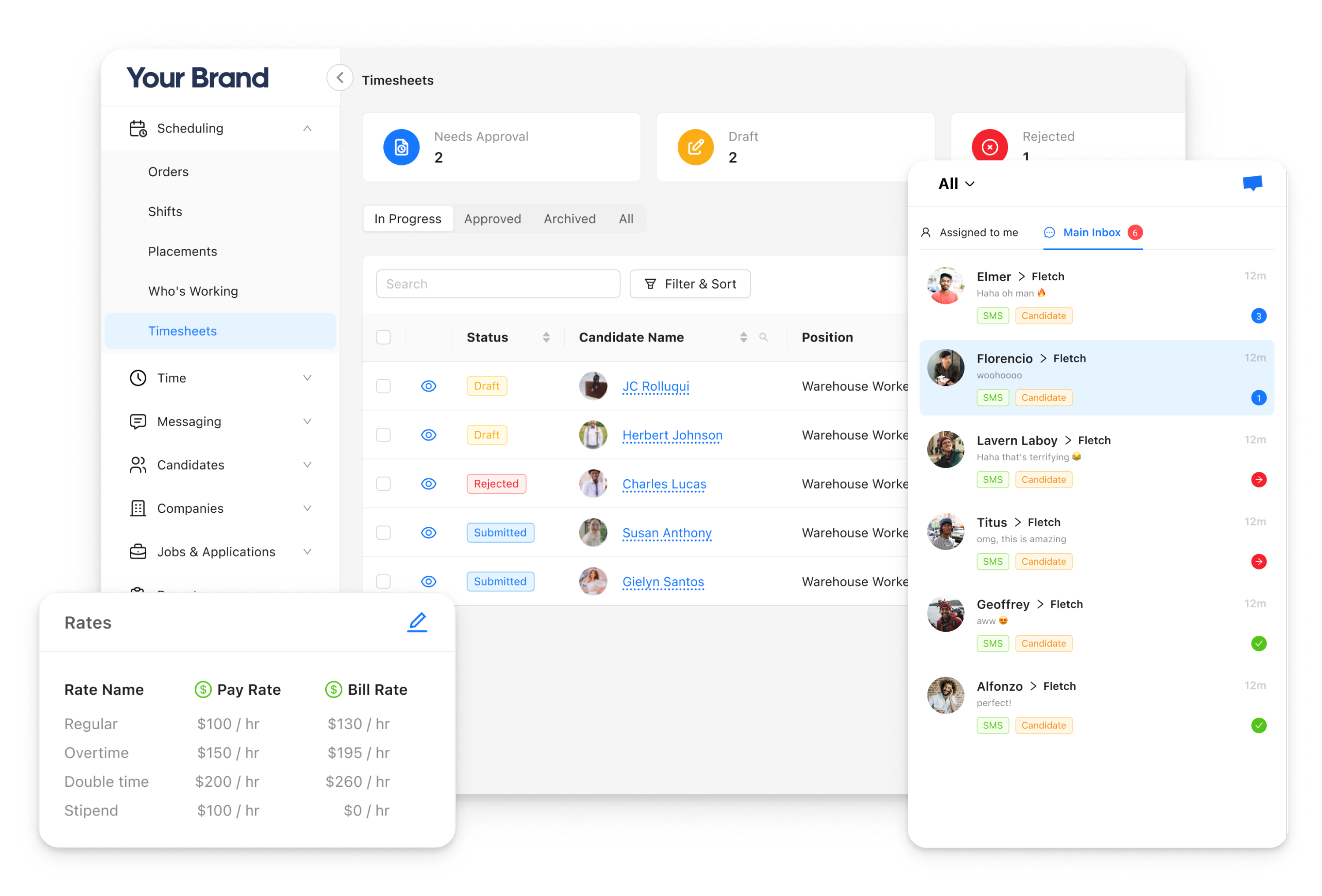
The Recruiter Console isn't a wrapper around disconnected tools. Every module shares the same data, so a timesheet approved in the console flows directly to payroll, a credential expiry triggers an alert before a shift is filled, and a rate change updates everywhere instantly.
Recruiter Console
Full applicant tracking (ATS)
Manage the complete hiring pipeline: job postings, applications, screening, interviews, offers, and placements. Traditional job-based hiring and on-demand shift claiming in one system.
%20-%20RC.png)
Who's Working
The operational cockpit
for your entire workforce.
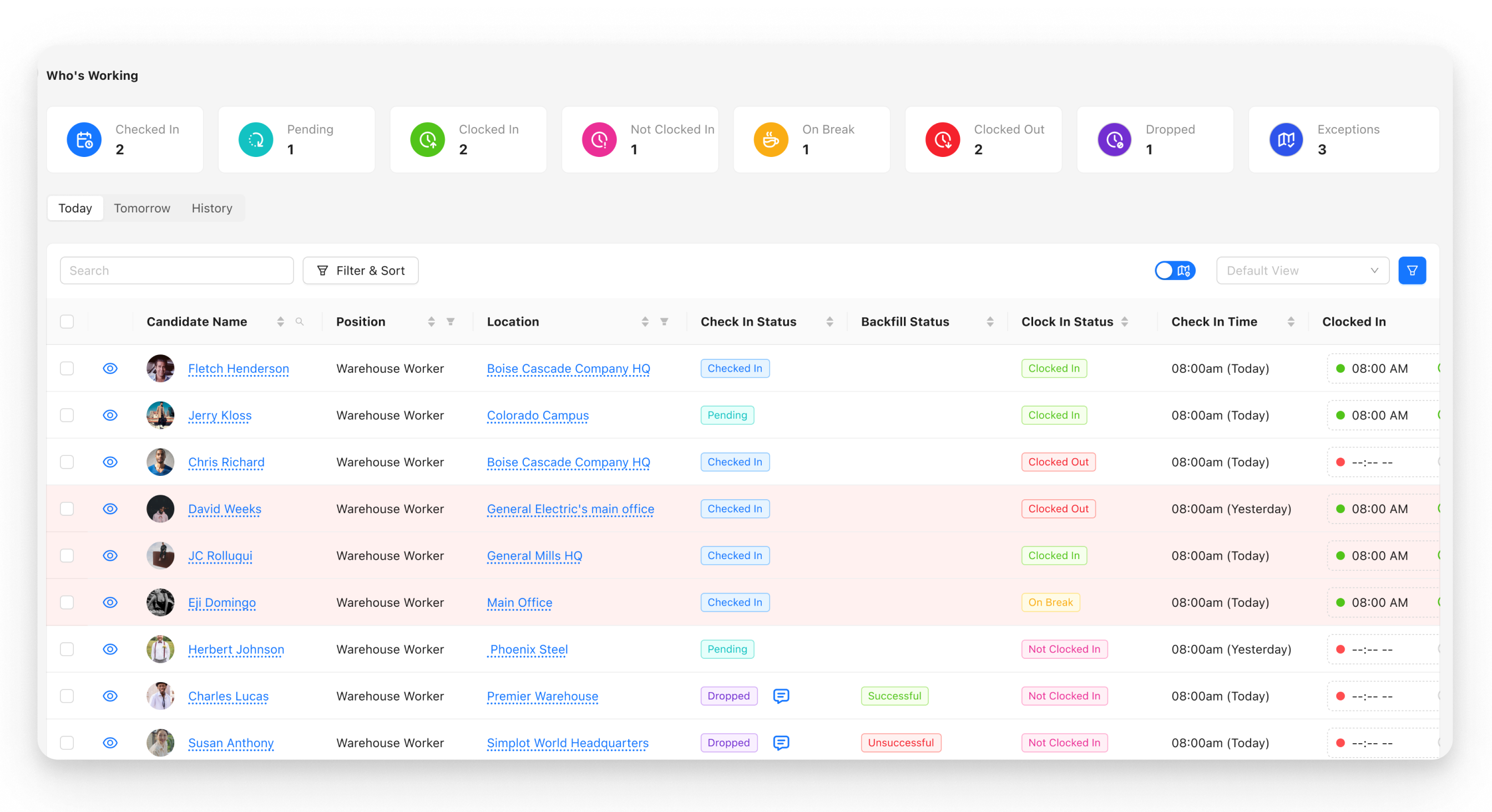
On any given day, your recruiters are managing dozens, sometimes hundreds, of workers across multiple clients and locations. The Who's Working dashboard gives them a real-time, unified view of everything happening on the floor, without making a single phone call.
Scheduled
Workers confirmed for today's shifts
Checked In
On-site and accounted for
Clocked In
Active and on the clock
On Break
Break time tracked automatically
Clocked Out
Shift complete, timesheet ready
GPS Tracking
Live location and breadcrumbs per worker
Worker Readiness
Know who's ready to work.
Not just who applied.
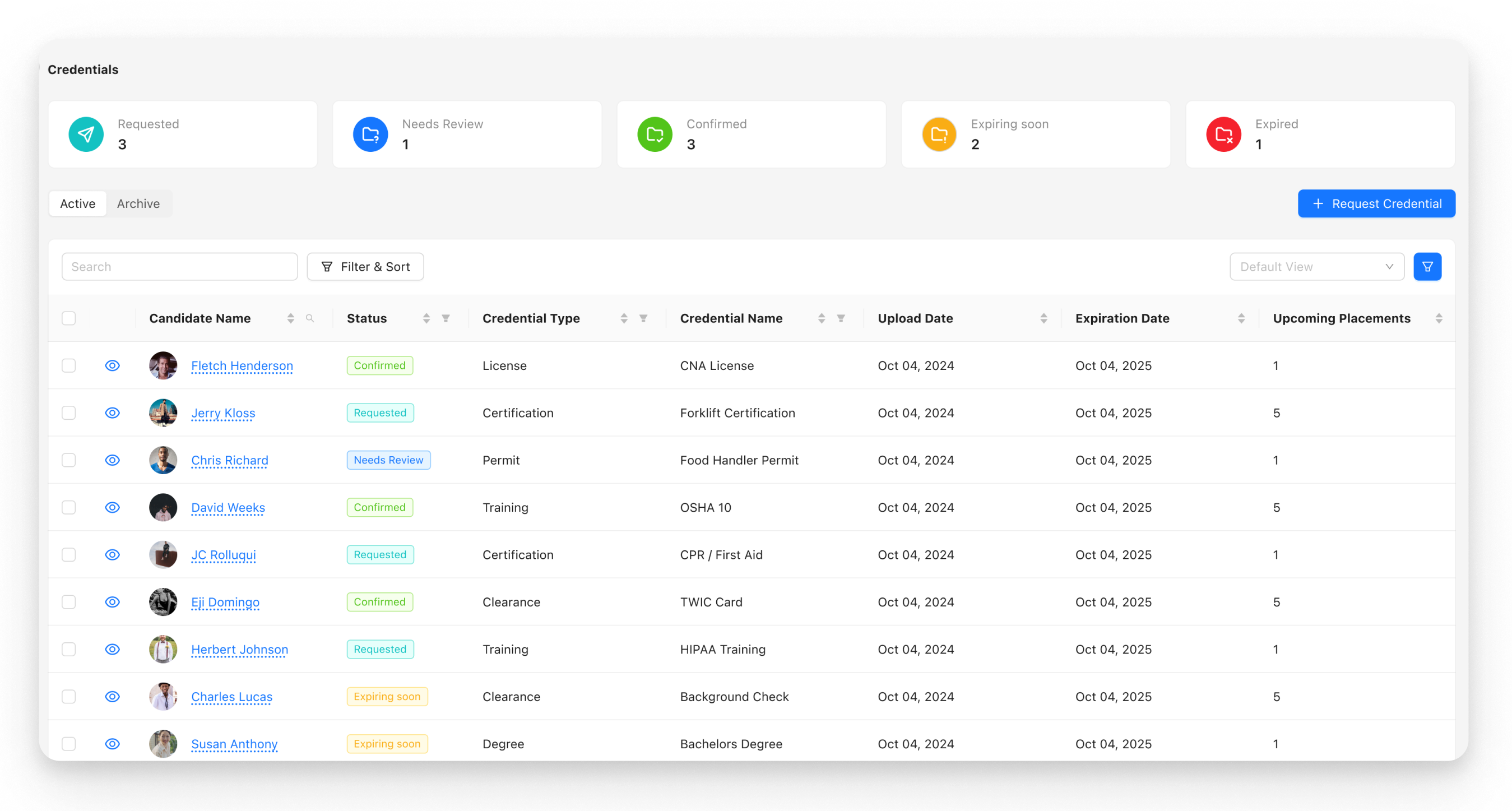
Traditional ATS platforms track applicants by stage: applied, screened, offered, placed. That tells you where someone is in the process. It doesn't tell you whether they can actually start work tomorrow.
Job Ad Distribution
Post once.
Reach 75+ job boards.
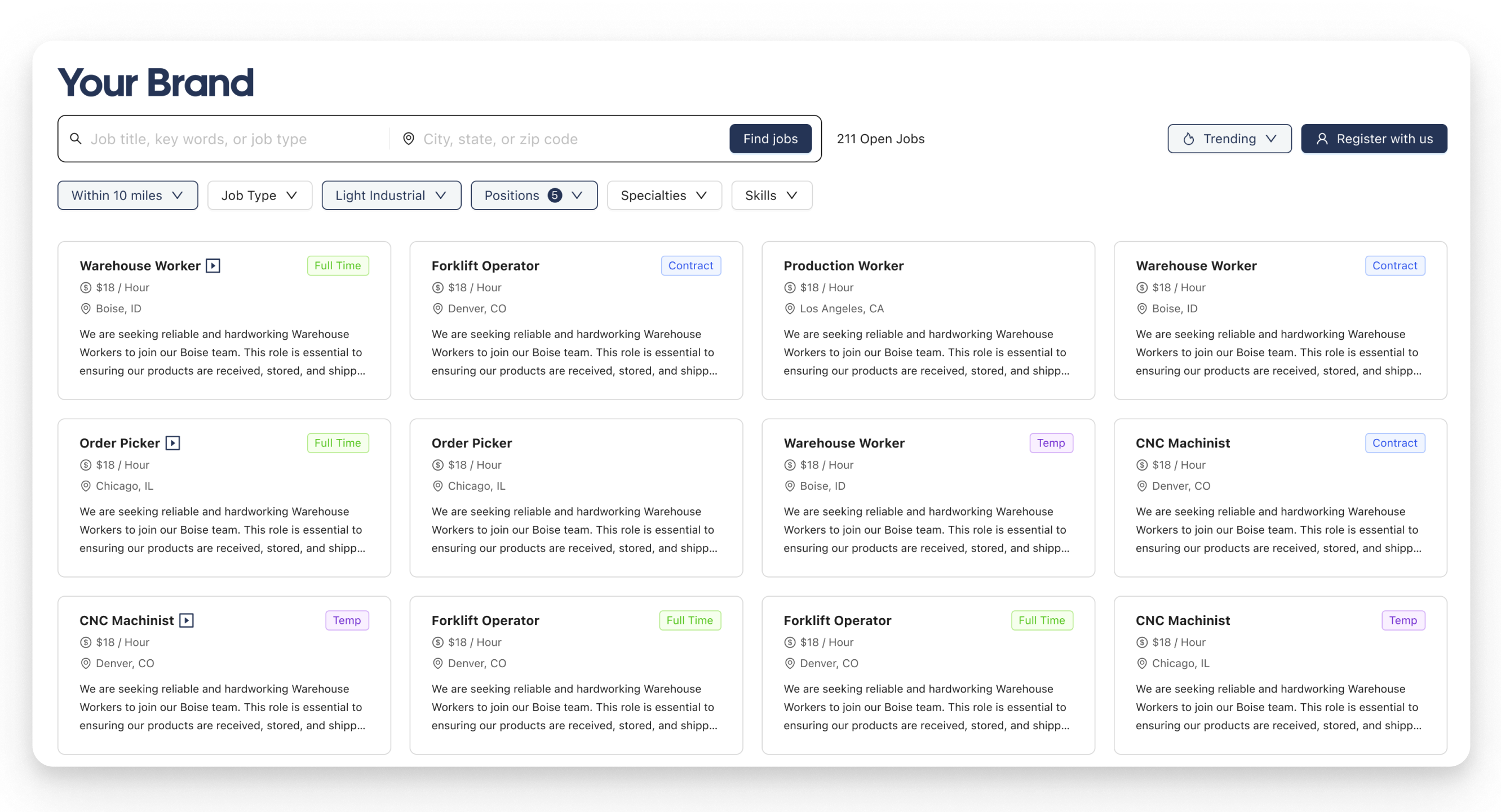
Getting applicants starts with getting in front of them. Through our integration with Dstribute, job postings can be distributed to 75+ job boards and aggregators from a single workflow, including Indeed, LinkedIn, Craigslist, ZipRecruiter, and OFCCP-required state job boards.
75+
Job boards and aggregators
OFCCP
State board compliance built in
One dashboard
Performance tracking across all boards
Automated Rate Logic
Stop doing payroll math
in a spreadsheet.
Bill rates, pay rates, overtime, double-time, blended rates across multiple clients. The Recruiter Console handles all of it automatically, based on rules you set once.
Bill and pay rate rules
Set rates by client, position, shift type, location, or any combination. The console applies the right rate to the right shift, automatically, every time.
OT and DT by jurisdiction
Overtime and double-time rules vary by state. The console knows the rules and applies them correctly based on where the work happens, not where the worker lives.
Multi-client blended rates
Workers placed across multiple clients in the same week? Blended rate calculations are handled automatically. No manual reconciliation at the end of the pay period.
Connected Platform
The console is the center.
Everything connects to it.
Workers submit timesheets through the app. Clients submit orders through the portal. Credentials are tracked in real time. Pay flows through integrated payroll partners. The recruiter sees all of it in one place, without switching tools.
Often Used With
Worker Mobile App
Workers check schedules, confirm shifts, and message your team directly from the app.
Omnichannel Messaging
Recruiters reach workers and clients across every channel without leaving the console.
Digital Onboarding
Recruiters manage onboarding progress and outstanding documents without chasing workers manually.
FAQ
Common questions
What is the StaffingOS Recruiter Console?
StaffingOS Recruiter Console is a unified staffing operations platform that combines ATS, shift scheduling, timesheet management, in-app messaging, bill and pay rate automation, OT and DT calculations, credentialing, onboarding pipeline management, and real-time workforce visibility into a single screen for staffing agency recruiters.
Does StaffingOS include an applicant tracking system?
Yes. The StaffingOS Recruiter Console includes a full ATS that manages the complete hiring pipeline: job postings, applications, screening, interviews, offers, and placements. It supports both traditional job-based hiring and on-demand shift claiming in one system.
How does StaffingOS handle overtime and double-time calculations?
The StaffingOS Recruiter Console automatically applies overtime and double-time rules based on state, client, and contract requirements. The console calculates correct rates based on where work happens, eliminating manual math and policy errors. Blended rate calculations for workers placed across multiple clients in the same week are also handled automatically.
What is the Who's Working dashboard in StaffingOS?
The Who's Working dashboard is a real-time operational view built into the StaffingOS Recruiter Console. It shows which workers are scheduled, checked in, clocked in, on break, or clocked out across every active shift. GPS tracking and location data give recruiters full visibility across their entire active workforce without making a single phone call.
Can StaffingOS distribute job postings to multiple job boards?
Yes. Through the StaffingOS integration with Dstribute, recruiters can distribute job postings to 75+ job boards and aggregators from a single workflow, including Indeed, LinkedIn, Craigslist, ZipRecruiter, and OFCCP-required state job boards. Performance across all boards is tracked in a single dashboard inside the Recruiter Console.
How does StaffingOS track worker credentials and compliance?
The StaffingOS Recruiter Console tracks licenses, certifications, and background checks per worker and flags expiring credentials before a shift is filled, preventing non-compliant placements. Worker Readiness tracking shows exactly which workers are ready for specific job types based on real compliance data, not generic pipeline stages.
Next Module
Job Distribution
Build a talent network you own: branded mobile app, white-labeled job portal, and 75+ job board distribution.
Explore Job Distribution →Ready to See It?
See the Recruiter Console in action.
We'll walk you through a full recruiter workflow, from open order to filled shift, in under 30 minutes.
Book a Consultation